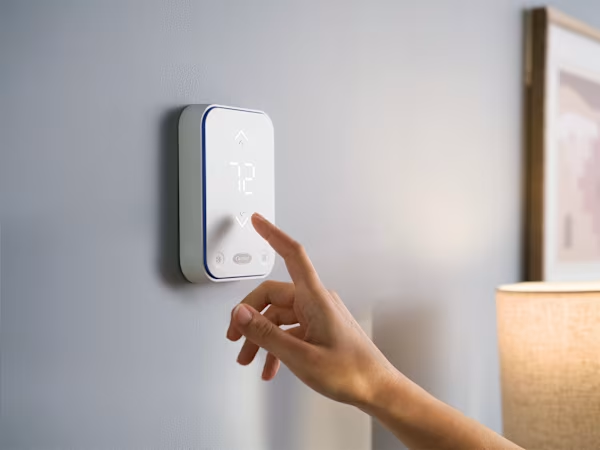
A smart thermostat can help lower cooling costs, but only when it is set up for the way your home actually lives. In Houston, the goal is not just a lower number on the screen. The goal is steady comfort, humidity control, and less wasted cooling when nobody is home.
Start With Realistic Temperature Targets
Many homes do well with a moderate daytime setting and a slightly cooler evening setting.
Common summer targets:
Every home is different. Insulation, windows, system age, and sun exposure all affect what feels comfortable.
Avoid Extreme Setbacks
It can be tempting to raise the thermostat very high when leaving and drop it sharply when returning. In Houston heat, that can backfire.
Extreme setbacks may cause:
A modest setback is usually better than letting the house get extremely hot.
Use Scheduling Around Your Routine
Smart thermostats work best when schedules match real occupancy.
Helpful schedule ideas:
If your schedule changes often, geofencing may help, but it should be tested to make sure it responds reliably.
Choose Auto Fan for Humidity Control
Fan mode matters in humid climates. In many Houston homes, auto fan is better than leaving the fan on continuously.
Why auto fan helps:
Continuous fan can be useful in some situations, but if your home feels sticky, try auto fan first.
Watch Indoor Humidity Readings
Many smart thermostats display indoor humidity. This number is worth checking during summer.
Possible warning signs:
High humidity may point to airflow, drainage, sizing, or maintenance issues.
Use Alerts Wisely
Smart thermostat alerts can help catch problems early.
Useful alerts include:
If you receive repeated alerts, do not just lower the setpoint. The system may need service.
Do Not Fight the Thermostat
Frequent manual changes can reduce the benefit of a smart thermostat.
Better approach:
Small adjustments are easier on the system than constant temperature swings.
Pair Settings With Maintenance
Even the best thermostat cannot overcome a poorly maintained AC system.
Efficiency still depends on:
If your thermostat says the system is running longer than usual, it may be time for an inspection.
Smart thermostat settings can make a real difference in Houston, but comfort starts with a healthy HVAC system. For thermostat setup, AC maintenance, or cooling concerns, contact NexAir Solutions.