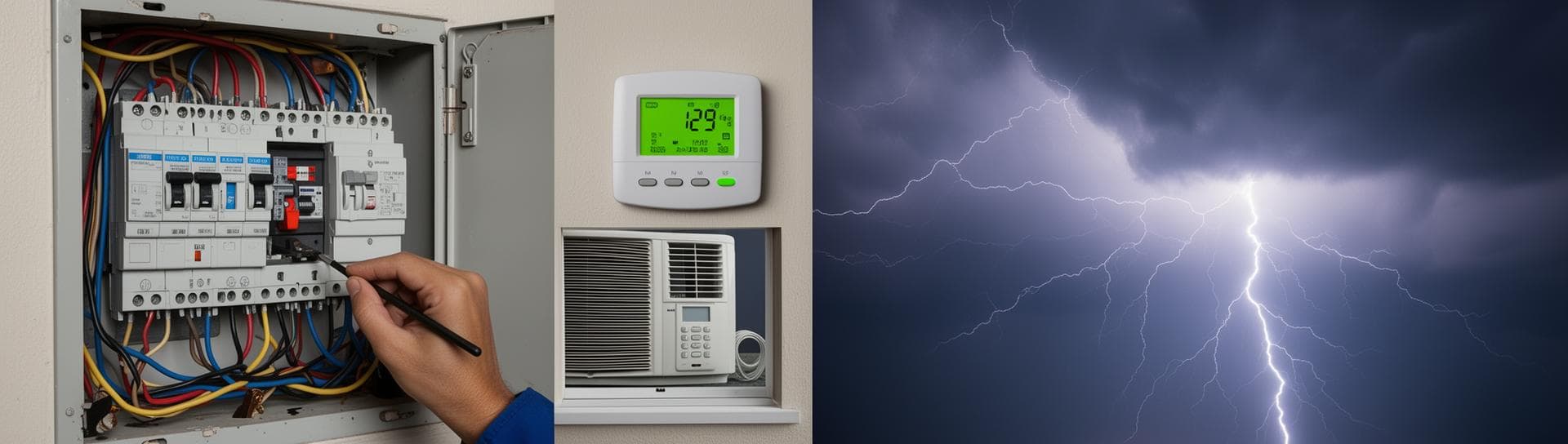
AC Not Turning On After a Power Outage — What to Do
AC Troubleshooting

AC Not Turning On After a Power Outage — What to Do

NexAir Solutions

Power outages are common in Houston due to thunderstorms, hurricanes, and summer heat. When your AC won't turn on after power returns, it can be frustrating and uncomfortable. Knowing the proper restart procedure can save you money and prevent damage. Here's what to do when your AC won't start after a power outage.


1. Wait for Stable Power


Safety first: Don't rush to restart your AC immediately after power returns.


Waiting guidelines:

  • Allow 5-10 minutes for power to stabilize
  • Check if neighbors' AC units are running
  • Verify power company reports of stable service
  • Watch for voltage fluctuations on sensitive electronics

  • Why wait: Sudden power surges can damage AC components.


    2. Check Your Circuit Breaker


    Most common issue: Power outages often trip circuit breakers as a safety measure.


    Breaker check steps:

  • Locate your electrical panel (usually in garage or utility room)
  • Look for tripped breakers (switched to OFF position)
  • Reset by flipping OFF breaker to ON position
  • Listen for click and check if breaker stays on

  • Safety note: If breaker trips immediately, there's an electrical problem.


    3. Reset Your Thermostat


    Control system reset: Thermostats may need manual reset after power loss.


    Thermostat reset procedure:

  • Turn thermostat OFF, wait 30 seconds
  • Turn back ON and check settings
  • Reset to desired temperature
  • Check if thermostat displays correctly

  • Digital thermostats: May require complete power cycle or battery replacement.


    4. Check the AC Disconnect Box


    External power switch: Many AC systems have a disconnect box near the outdoor unit.


    Disconnect box check:

  • Locate metal box near outdoor AC unit
  • Ensure switch is in ON position
  • Check for any damage or burn marks
  • Verify switch hasn't been tripped

  • Safety: Only qualified electricians should work on disconnect boxes.


    5. Inspect for Visible Damage


    Physical damage check: Power surges can cause visible signs of electrical problems.


    Look for:

  • Burn marks on wires or components
  • Blown fuses in fuse boxes
  • Melted insulation on electrical connections
  • Smoke or burning smells
  • Tripped GFCI outlets

  • Stop: Don't operate damaged equipment - call electrician immediately.


    6. Try Manual Reset Procedures


    Hard reset options: Some AC systems have manual reset buttons or procedures.


    Reset methods:

  • Press and hold thermostat reset button (if available)
  • Unplug unit, wait 5 minutes, then replug
  • Check for reset button on indoor air handler
  • Consult system manual for model-specific reset

  • Caution: Only attempt if you're comfortable with electrical work.


    7. Check Air Filter and Vents


    Airflow verification: Ensure nothing blocks air intake after power restoration.


    Airflow check:

  • Inspect and clean air filters
  • Open all vent registers in home
  • Clear any debris from return air grilles
  • Verify dampers are open (if applicable)

  • Issue: Power outages can cause automated dampers to close.


    8. Monitor for Unusual Operation


    Normal vs. abnormal: Pay attention to how the system operates after restart.


    Warning signs:

  • Unusual noises (grinding, banging, screeching)
  • Burning smells or smoke
  • System cycling on/off rapidly
  • Uneven cooling throughout home
  • Higher than normal energy usage

  • Action: Shut down immediately if you notice problems.


    9. Consider Power Surge Protection


    Prevention strategy: Protect your AC from future power issues.


    Protection options:

  • Install surge protector on AC circuit
  • Use whole-house surge protection
  • Consider UPS backup for thermostat
  • Regular electrical system maintenance

  • Investment: Surge protectors cost $50-$200 but prevent costly repairs.


    10. Know When to Call Professionals


    Professional help needed: Some issues require licensed technician expertise.


    Call professional for:

  • System won't start after all checks
  • Unusual noises or smells
  • Visible electrical damage
  • Repeated tripping of breakers
  • System over 8 years old
  • During extreme heat when cooling is critical

  • Emergency situations:

  • Power outage during heatwave
  • Medical conditions requiring cool environment
  • Business cooling failure
  • Suspected electrical fire hazard


  • Power surge damage:

  • Burned circuit boards in thermostat
  • Failed capacitors or contactors
  • Damaged compressor motors
  • Blown transformers

  • Voltage issues:

  • Under-voltage causing motor problems
  • Over-voltage damaging electronics
  • Phase imbalance in 3-phase systems
  • Dirty power causing component failure

  • Seasonal Considerations in Houston


    Houston-specific challenges:

  • Summer thunderstorms cause frequent outages
  • Hurricane season power instability
  • High humidity affects electrical components
  • Peak demand causes voltage fluctuations

  • Preparation: Keep emergency numbers handy during storm season.


    Emergency Preparedness


    Power outage kit:

  • Flashlights and batteries
  • Battery-powered fans
  • Ice packs for cooling
  • Emergency HVAC service numbers
  • Important documents and medications

  • Prevention: Regular maintenance reduces failure risk during outages.


    Power outages don't have to mean days without AC in Houston's heat. Following proper restart procedures can get your system running again quickly. However, if your AC still won't start after following these steps, don't risk further damage or discomfort. For professional AC restart and repair services in Houston, contact NexAir Solutions immediately!